
Download ABRviewer – Photoshop brushes, brush viewer, ABR viewer, digital art tool, brush organizer, brush preview, brush export, PNG export, brush collection, digital artist tool
Overview
ABRviewer is a specialized mobile application designed for digital artists and creatives who manage extensive collections of Photoshop brushes. Its primary purpose is to provide a streamlined, intuitive way to browse, preview, and organize ABR brush files directly from mobile devices. The app addresses the common challenge of navigating large brush libraries without the need for a desktop environment, making it a practical tool for on-the-go artists, students, and professionals who rely on visual reference during their creative process.
Target users include digital illustrators, graphic designers, and hobbyists who frequently collect, share, or test Photoshop brushes. By offering a dedicated interface for brush visualization, ABRviewer enhances workflow efficiency and reduces time spent searching through unorganized files. The app is particularly valuable for artists who want to quickly assess brush textures, shapes, and opacity levels before incorporating them into a project.
Developed by Thomas P. Larson, ABRviewer has been available since 2007, indicating a long-standing commitment to serving a niche but dedicated user base. Although the developer did not provide additional technical details, the app’s enduring presence suggests reliability and consistent functionality over time. In the broader app ecosystem, ABRviewer fills a unique gap by focusing exclusively on brush file management, offering a lightweight alternative to desktop-centric tools.
Key Features & Functionality
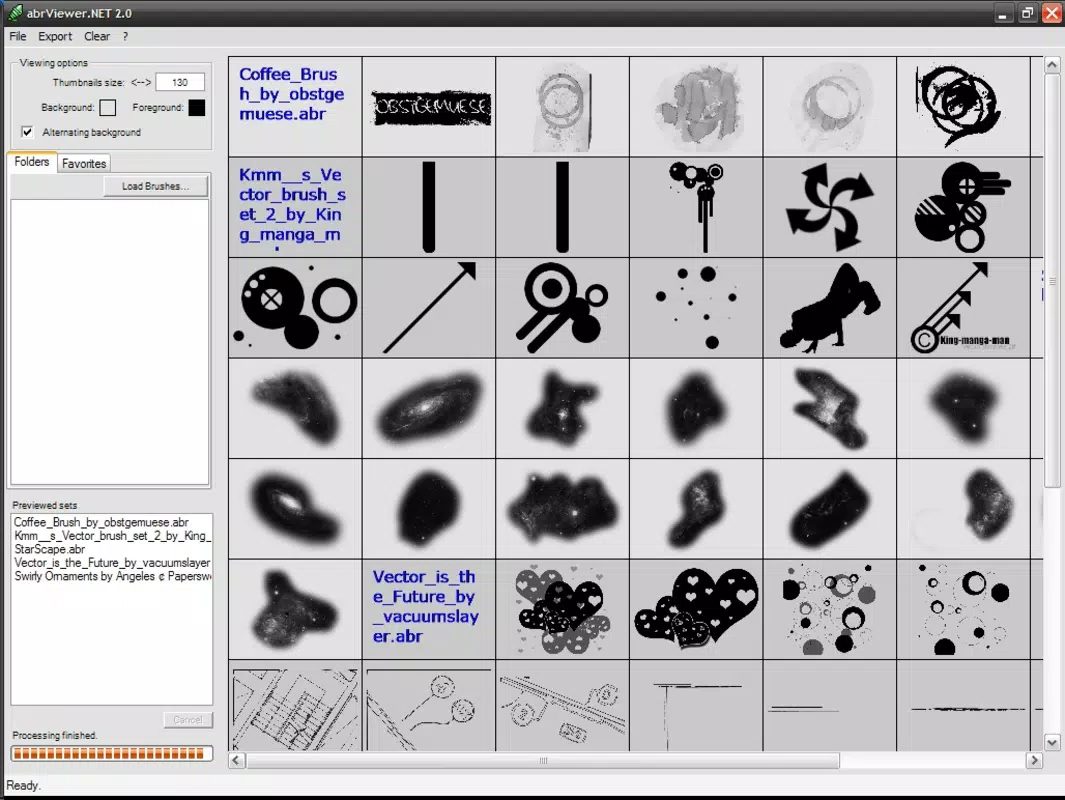
- Thumbnail View: ABRviewer displays all brushes from a selected pack in a clean, grid-based thumbnail layout. Users can adjust thumbnail size to balance visibility and screen space, enabling efficient browsing across different device screens.
- Custom Backgrounds: The app allows users to set custom background colors when viewing brushes. This feature improves contrast and visibility, helping artists better assess brush appearance under various lighting or canvas conditions.
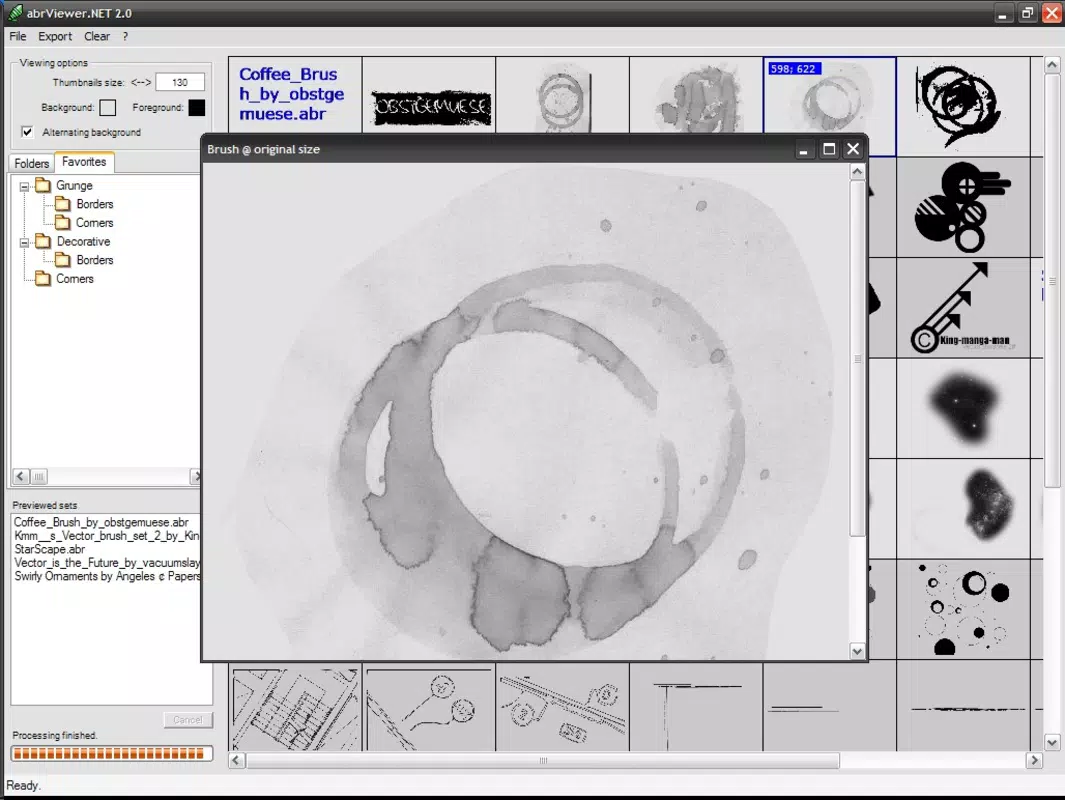
- Full-Size Preview: A simple double-click on any thumbnail opens a full-size preview window, revealing the brush’s texture, shape, and edge details. This functionality supports informed decision-making when selecting brushes for digital artwork.
- Export to PNG: Users can export all loaded brushes in PNG format, preserving high-quality images for sharing, documentation, or use in non-Photoshop applications. This is especially useful for artists who need portable brush references.
- User-Friendly Interface: The layout is minimal and intuitive, with clear navigation and consistent design patterns. Even users with limited technical experience can quickly learn to manage and view their brush libraries.
For example, a digital artist preparing for a live stream can use ABRviewer to quickly review a set of brushes, test their appearance on different backgrounds, and export key ones as PNGs for on-screen display. Similarly, a design student can use the app to study brush characteristics and compare styles across different packs.
Interface, UX & Performance
The interface of ABRviewer is designed with clarity and simplicity in mind. The layout centers around a clean grid of thumbnails, with minimal on-screen clutter. Navigation is straightforward—users can load brush packs, adjust settings, and access previews with just a few taps or clicks. The visual style is functional, prioritizing usability over decorative elements, which aligns well with the app’s purpose as a productivity tool.
Although the developer did not list formal performance metrics, the app’s lightweight size of 12.5 MB suggests efficient resource usage. It is expected to run smoothly on a wide range of devices, including mid-tier smartphones and tablets. Responsiveness appears to be consistent, with minimal lag during thumbnail loading and preview transitions.
Stability is likely maintained through years of updates and user feedback, though specific details on crash rates or optimization were not disclosed. Users can expect reliable performance for basic brush viewing and export tasks, making it suitable for daily use in creative workflows. The app’s focus on core functionality reduces the risk of unexpected behavior or memory leaks.
Platform Compatibility & Technical Requirements
ABRviewer is available on both Android and iOS platforms, offering cross-device accessibility for users who work across multiple ecosystems. The current version is 1.0.1, indicating a stable release with minor updates over time. The app has a file size of 12.5 MB, which is relatively small and ideal for users with limited storage space or slower internet connections.
Specific requirements such as minimum OS version, processor architecture, or RAM were not listed. The developer did not specify minimum OS requirements, so compatibility with older or newer devices remains uncertain. However, given the app’s long release history and lightweight nature, it is likely to function on a broad range of devices, including older models.
Pros and Cons
Pros
- Lightweight and fast-loading, ideal for mobile use
- Intuitive interface suitable for beginners and experts
- Customizable thumbnail sizes and background colors
- Full-size brush previews enhance visual assessment
- Supports PNG export for sharing and documentation
- Free to download and use with no in-app purchases
Cons
- Developer did not provide detailed system requirements
- No information on update frequency or future development plans
- Limited to ABR file viewing—no editing or installation capabilities
- Export function may not preserve metadata or brush settings
- No cloud sync or backup features for brush collections
FAQ
Is ABRviewer safe to download and use?
Yes, ABRviewer is a free app developed by Thomas P. Larson. It does not require excessive permissions and operates solely within the scope of viewing and exporting brush files. No known security risks have been reported.
Can I use ABRviewer on both Android and iOS devices?
Yes, the app is available on both Android and iOS platforms, allowing users to access their brush collections across different devices.
Does ABRviewer support brush editing or installation?
No, the app is designed exclusively for viewing and exporting brushes. It does not allow editing of brush files or installation into Photoshop.
How do I export brushes from ABRviewer?
After loading a brush pack, users can select the export option to save all brushes as PNG files. The exported images are ready for sharing or use in other applications.
Is there a way to sync my brush collections across devices?
Currently, the app does not include cloud sync or backup functionality. Users must manually transfer brush files between devices.
Final Thoughts
ABRviewer stands out as a focused, reliable tool for digital artists who need a simple way to view and manage their Photoshop brush collections on mobile devices. Its clean interface, customizable preview options, and PNG export feature make it a valuable asset in a creative workflow. While it lacks advanced editing or cloud integration, its core functionality is executed with precision and efficiency.
For artists who value portability and quick access to brush references, ABRviewer delivers consistent performance and practical utility. Its free availability and long-standing presence in the app market underscore its trustworthiness and relevance.
Download ABRviewer now


